Developer Tools
BrowserProof
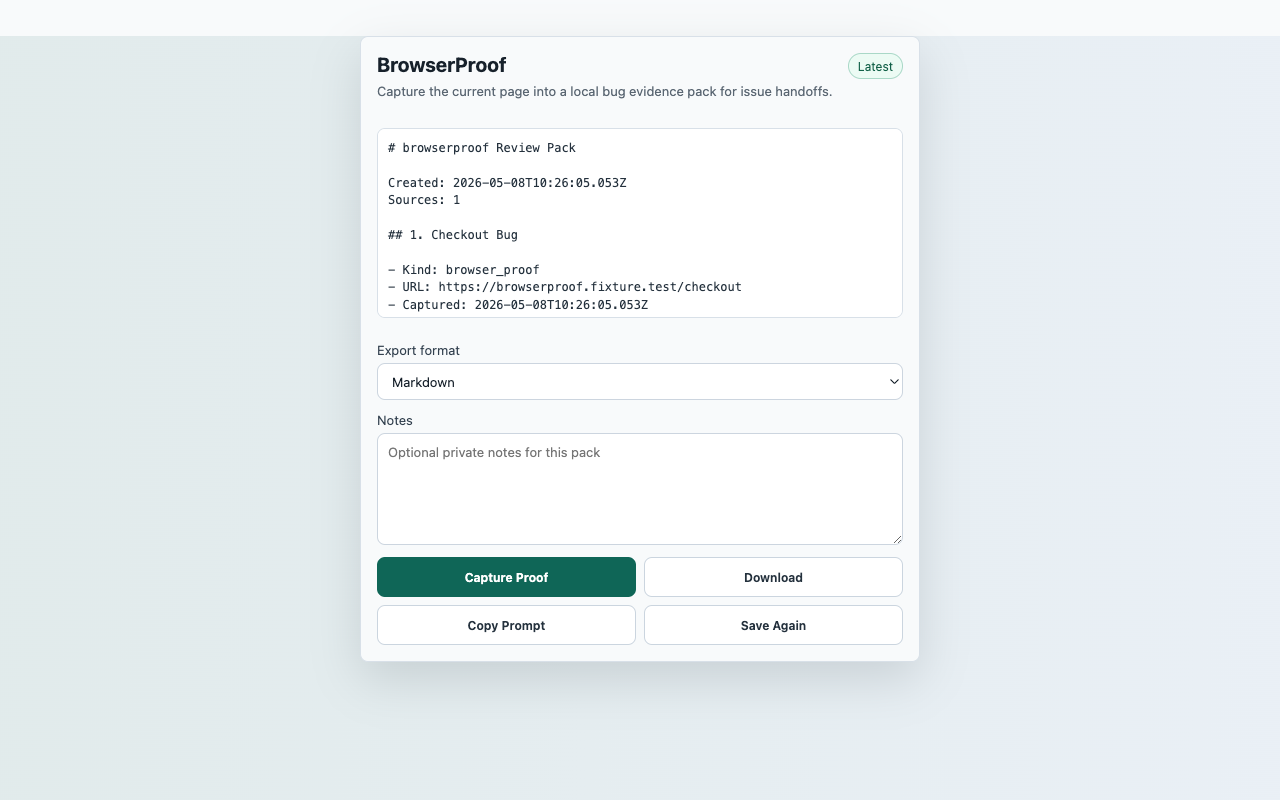
Turn the active browser page into a local evidence pack that can be pasted into GitHub issues, Linear tickets, Slack handoffs, support requests, or launch review notes.
InputCurrent active web page after user action
ActionCapture Proof
FilesMarkdown, JSON SourcePack, CSV source index
PermissionactiveTab, storage, contextMenus, downloads, scripting; no persistent host permissions
StorageRecent proof packs in chrome.storage.local
ReviewerOpen reproducible guide
Captured content stays local unless the user downloads an export.
Core flow
Capture Proof to local export
- Open the page where a bug, broken state, or launch concern is visible.
- Click the extension action, then choose Capture Proof.
- Add expected behavior, actual behavior, or reproduction notes in the local notes field.
- Download Markdown or SourcePack JSON and paste the handoff into the destination issue or support ticket.
Capture surfaceCurrent active web page after user action
Suggested smoke targetSuggested smoke target: https://sourcepack-tools.pages.dev/fixtures/bug
Primary actionCapture Proof
ExportsMarkdown, JSON SourcePack, CSV source index
StorageRecent proof packs in chrome.storage.local
PermissionsactiveTab, storage, contextMenus, downloads, scripting; no persistent host permissions
Scope
What ships in this build
Included
- Captures page title, URL, visible headings, selected text, page excerpt, viewport details, and interaction counts.
- Adds a hand-off checklist so recipients know what evidence still needs human notes.
- Keeps the proof pack local until the user downloads or copies it.
- Requests no persistent host permissions and does not take screenshots in the launch build.
Limits
- BrowserProof captures visible page context, not hidden application state, cookies, credentials, or network traces.
- Users should redact private page content before sharing downloaded proof packs externally.
- It is a handoff tool, not an automated bug validator or monitoring service.