Chrome Web Store reviewer guide
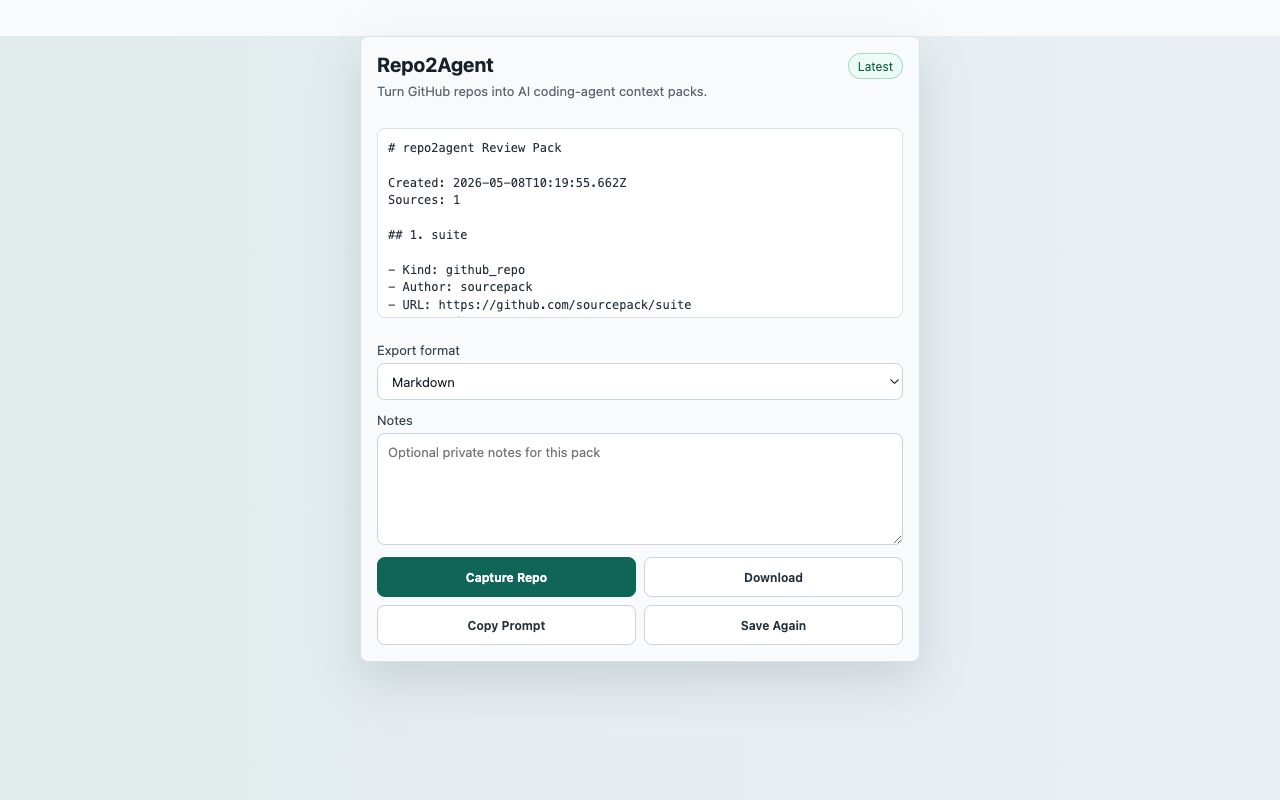
Repo2Agent
Turn a GitHub repository page into an AI coding-agent context pack.
Reproducible Test Steps
- Open a public GitHub repository page.
- Click the Repo2Agent toolbar action and choose Capture Repo.
- Verify README and visible file-tree context appear in the preview.
- Copy the prompt or download Markdown or JSON.
- Confirm the extension does not request a GitHub account connection.
Expected Result
- The popup shows repository context after capture.
- The export contains README or an explicit missing-README note.
- No repository content is uploaded to a server.
CredentialsNo SourcePack account, API key, backend, or GitHub token is required for public repository pages.
User actionCapture starts only after the reviewer clicks Capture Repo.
Data locationRecent captures in chrome.storage.local
Network postureNo captured page, chat, repo, transcript, table, or competitor content is uploaded to a SourcePack server.